


MyHealthONE
4.01.13K Reviews
App Specs
- Version
- 1.9.12
- Updated On
- License
- Free
- Downloads
- 500,000+
- Developer
- HCA Healthcare Inc
- Categories
- Medical
- Platform
- Android, iOS
Screenshots
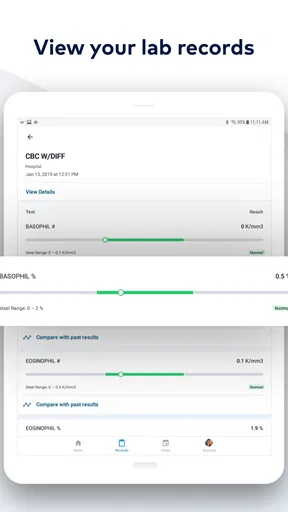
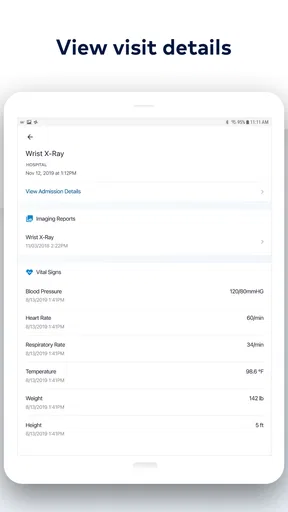
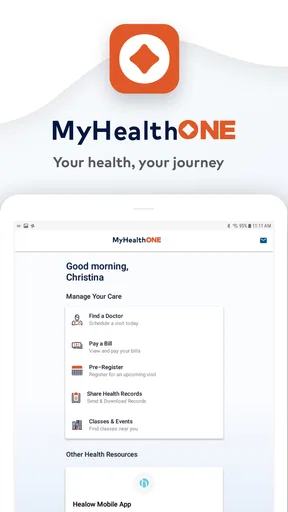
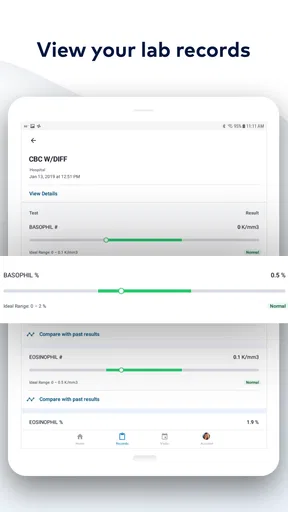
 Analysis by AppCompare
I see MyHealthONE as a patient portal for keeping the practical parts of healthcare within reach: appointments, records, bills, and communication with a care team. That combination is most useful when your care already runs through services the app supports. It is less like a general-purpose health tracker and more like a digital front desk you can check between visits.
That distinction matters before you download it. A portal can make information easier to find, but it does not replace a clinician, guarantee that every part of your care is available in one place, or turn an urgent concern into a routine message. I’d use it to stay organized and prepare for care, while keeping the clinic’s usual phone number handy for time-sensitive issues.
Where it fits in a patient’s routine
MyHealthONE is a free medical app from HCA Healthcare Inc. It has an average rating of 4.2 from around 7,900 ratings, with over 500,000 installs. Those figures suggest that many people are using it as part of their healthcare routine, though a rating alone cannot tell you whether it will fit your particular provider or needs. It is rated for Everyone, and the current version is 1.9.12.
The app’s value is less about a single standout tool than about reducing small bits of friction. Instead of searching email for an appointment detail, looking through a paper folder for a result, and switching to another service to check a bill, a patient may be able to handle several of those tasks in one portal. That is a practical advantage, especially for people who have recurring appointments or need to keep records close at hand.
Its current version is evidence of the app’s present state, not proof of a particular recent redesign or a specific feature change. I would treat the version number as a useful reference if troubleshooting with support, rather than as a reason to expect a particular improvement. For existing users, the sensible approach is to check that the app is current and confirm that the information they rely on still appears as expected.
All Your Health Info at Your Fingertips
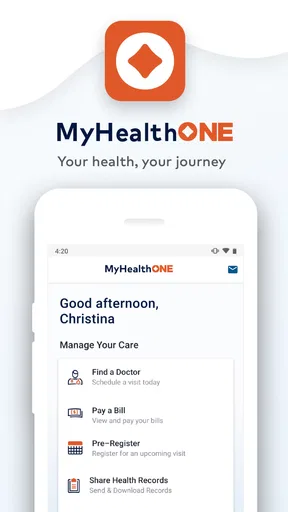
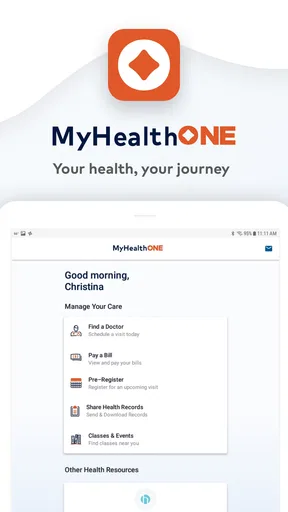
Right off the bat, MyHealthONE impresses with its user-friendly interface. As soon as you open it, you’re greeted with a clean dashboard that makes navigation a breeze. Everything is laid out in a way that even if you’re not tech-savvy, you’ll find your way around without breaking a sweat.
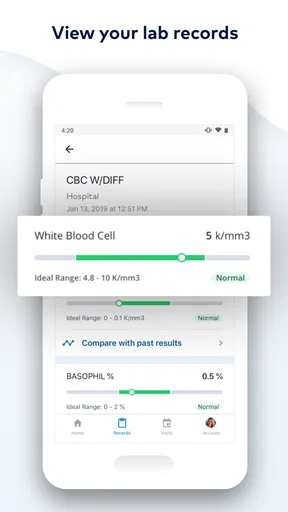
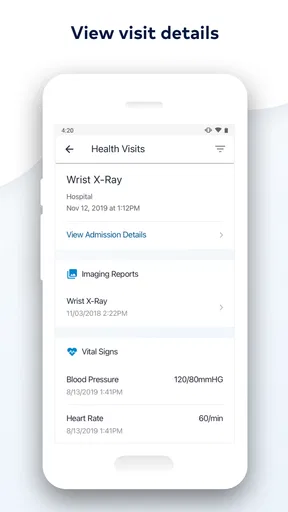
The app is designed to consolidate all your medical information in one place. Think of it as your digital health assistant. From test results to appointment schedules, it’s all there. I found the ability to view and share my lab results particularly handy. No more digging through endless paperwork!
Worth Reading Before You Choose

EA SPORTS FC Mobile 26 Is a Bigger Football Game, but It Takes Time

Flipboard Shows What News Apps Must Do Beyond the Feed

Switching to Android Auto Means Rethinking Your Driving Routine

Google Calendar Makes a Crowded Week Easier to Manage

Ludo King Makes the Most of the Minutes Between Plans

Baby Panda World Brings Quick Play to Modern Phones, but Its Game Library Feels Busy
One useful habit with any patient portal is to check results before an appointment and jot down questions while the details are fresh. That can make a short visit more productive: rather than trying to remember what a result said, you can ask the care team what it means for your situation. I would avoid treating a number in a portal as a diagnosis on its own; interpretation belongs in context with a clinician.
Managing Appointments Like a Pro
One of the standout features is how it handles appointments. You can schedule, reschedule, or cancel appointments directly through the app. What’s even cooler is the notification system. The app sends gentle reminders, so you never miss a check-up again. It’s like having a personal secretary for your health.
Plus, if you have family members who need assistance managing their health records, you can add them to your account. This feature is a game-changer for anyone with elderly parents or young kids.
A realistic use is a caregiver checking a family member’s upcoming visit while planning transportation, then making sure the right record is available before leaving home. I’d still confirm appointment changes if timing is critical, especially when a visit is close, because a portal is most helpful when the details are checked rather than assumed. For family access, it is also worth agreeing on who will manage appointments and documents, so important information does not get buried in several people’s routines.
Secure and Reliable
Now, let’s talk about security because, let’s face it, this is sensitive information we’re dealing with. MyHealthONE ensures that all your data is securely encrypted. I felt reassured knowing that my personal health information is safe from prying eyes.
There’s also a nifty feature where you can set up a passcode or use biometric authentication to access the app. It’s these little touches that make you feel valued as a user.
For day-to-day safety, I would treat phone access as carefully as access to a wallet: use the available screen lock, avoid sharing a sign-in casually, and be thoughtful about who can see notifications on a shared device. A secure app is only one part of protecting private information; the device and account habits around it matter too.
Connecting with Your Care Team
The app also bridges the gap between patients and healthcare providers. You can easily message your care team through the app, which is incredibly convenient. No more waiting on hold or playing phone tag with your doctor’s office. It’s like having a direct line to your healthcare team right in your pocket.
Additionally, you can access educational resources tailored to your health needs. Whether you’re managing a chronic condition or just want to learn more about maintaining a healthy lifestyle, the app has got you covered.
Messaging is best suited to a non-urgent question that can wait for a reply, such as clarifying a routine instruction or asking what to bring to an appointment. If symptoms feel urgent, I would use the appropriate urgent or emergency care route rather than waiting for a portal response. That is an important trade-off: written communication keeps a record and avoids a phone call, but it is not the same as real-time clinical attention.
The Little Extras
MyHealthONE doesn’t just stop at managing health records and appointments. It goes a step further by providing a billing section where you can view and pay your medical bills. This feature streamlines everything, so you don’t have to deal with multiple platforms or physical bills.
There’s also a section to store advance directives and other important documents. Having everything in one place makes it easier to access when needed, especially in emergencies.
Another thing I noticed is how the app integrates with wearable devices. If you’re into tracking your steps or monitoring your heart rate, this feature allows you to sync your data seamlessly, giving you a more comprehensive view of your health.
When using the billing area, I’d make a habit of checking the account and bill details before submitting a payment, just as I would with any online payment tool. For documents, digital storage is convenient, but I would not make a phone the only copy of something essential; keeping a separate backup can help if the device is unavailable. Wearable information can add useful context to a conversation, but it is not a substitute for medical advice or a clinical measurement.
Who will get the most from it
I’d recommend the app most to people who already receive care through the services it connects with and want a single place to handle routine administration. Patients with regular appointments, people coordinating care for a child or older relative, and anyone who wants to review records before a visit are the clearest fits. Its strongest benefit is reducing the number of separate places you need to check for common tasks.
It may be less useful if your clinicians do not use the connected services, if you prefer to keep all health information on paper, or if you need a universal record that combines care from unrelated providers. A portal can organize what is available through its own care network; it should not be assumed to replace every provider’s system. In that situation, a broader record-keeping method or the other providers’ own portals may be a better companion.
Compared with a general health app, this one is oriented toward care logistics and patient-provider interaction rather than making a phone the center of all wellness tracking. Compared with calling a clinic, it can be more convenient for routine tasks and written questions, while a call remains the better route when you need immediate clarification or the portal does not show what you need. I’d think of it as a useful channel, not the only channel.
What existing users should keep in mind
The app was released on March 25, 2020, and its current version is 1.9.12. Those facts establish a release history and a current version, but they do not by themselves show what has changed between releases. I would not assume a recent update introduced a particular feature; instead, I’d judge the app by whether the tasks I depend on—checking appointments, reviewing information, or contacting the care team—work reliably for me now.
If you already use it, a practical way to assess whether it still suits you is to test the parts you need before a stressful moment arrives. Check that you can sign in, locate an upcoming appointment, find a recent record, and understand where to go for help if something is missing. That small check is especially worthwhile before travel or a family member’s visit, when there may be less time to troubleshoot.
For someone considering a switch from paper or another portal, I would start with one recurring task rather than trying to move every health habit into the app at once. Use it for appointment details or a document you regularly need, then see whether it genuinely saves time. If it adds another login without replacing any existing step, the convenience may be smaller than expected.
Final Thoughts
In a nutshell, MyHealthONE is more than just an app; it’s a powerhouse for managing your health effortlessly. It combines functionality with ease of use, making it an essential tool for anyone looking to streamline their healthcare experience.
Whether you’re tech-savvy or not, this app caters to everyone, and its robust features make it a must-have. So, if you’re ready to take control of your health, give it a shot. You might just wonder how you ever managed without it!
My recommendation is a little more specific: try it if the connected patient services match the care you already receive, and use it to simplify the ordinary work around visits. Keep a phone or in-person route for urgent concerns, maintain sensible backups for critical documents, and do not rely on a portal as your only health record. Used with those expectations, it can be a genuinely handy part of a patient’s routine rather than another app demanding attention.
Pros
- User-friendly interface enhances navigation.
- Secure access to medical records anytime.
- Easy appointment scheduling and reminders.
- Integration with health monitoring devices.
- 24/7 customer support available.
Cons
- Limited language options for non-English users.
- Occasional slow loading times reported.
- Some features require stable internet.
- Limited customization for notifications.
- Not all test results immediately available.
FAQs for MyHealthONE
What is MyHealthONE and what does it offer?
MyHealthONE is a comprehensive health management app designed to give users access to their healthcare information and services from their mobile devices. It offers features like appointment scheduling, viewing medical records, and accessing test results. It also provides reminders for medications and upcoming appointments, making it a valuable tool for personal health management.
Is MyHealthONE free to use, and are there any in-app purchases?
MyHealthONE is free to download and use. However, some features may be limited or require a subscription, depending on your healthcare provider's integration with the app. It's advisable to check with your provider for any potential costs associated with specific services or premium features.
How secure is my personal health information on MyHealthONE?
MyHealthONE prioritizes user privacy and data security by employing advanced encryption and security protocols. The app adheres to strict healthcare regulations like HIPAA to ensure that your personal health information is kept confidential and secure from unauthorized access.
Can I use MyHealthONE to communicate with my healthcare provider?
Yes, MyHealthONE allows users to communicate with their healthcare providers through secure messaging. This feature enables you to ask questions, discuss test results, and receive medical advice without needing to make a phone call or visit the office, enhancing convenience and accessibility.
Is MyHealthONE compatible with all healthcare providers?
MyHealthONE is compatible with a wide range of healthcare providers, but not all. Before downloading, it's important to verify if your healthcare provider supports integration with the app. This information can typically be found on your provider's website or by contacting their office directly.


